Manager
When comparing multiple datasets, users must account for various parameters, one of the most critical being temporal resolution. Recent advances in imaging and acquisition techniques have enabled significantly improved time resolution, leading to increased adoption of these modern tools. Consequently, integrating or comparing legacy datasets with newer, high-resolution data has become challenging. This component is designed specifically to address this issue by managing differences in temporal resolution, thereby allowing users to concentrate on the analysis and interpretation of the data rather than on preprocessing or alignment tasks.
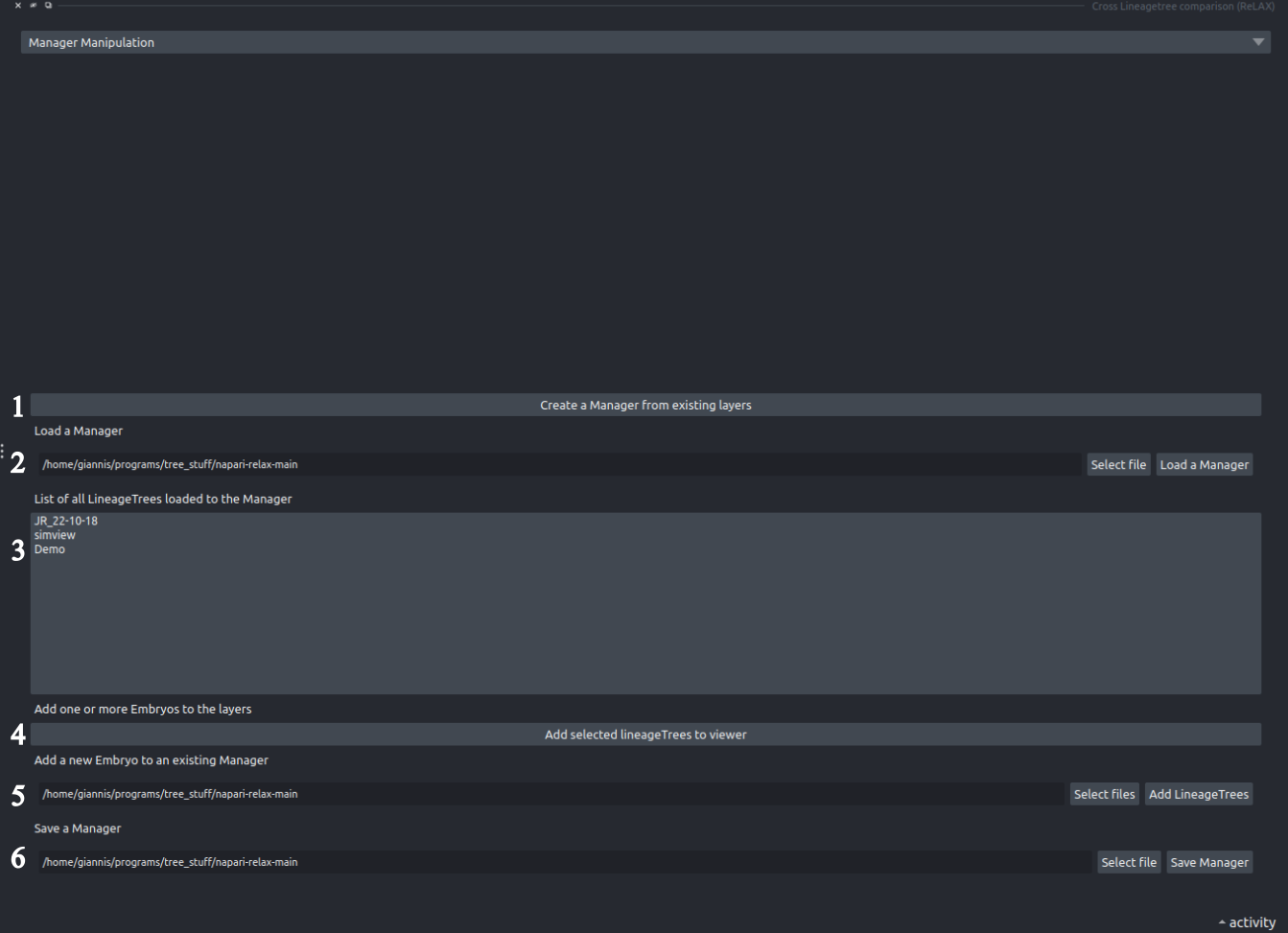
It is the Manager Manipulation entry of the Cross Lineagetree comparison widget (Plugins>Cross Lineagetree comparison).
Manager
- Create a Manager from existing layers: Pressing this button will create a new manager that consists of all the layers of napari that contain a LineageTree.
- Load an existing Manager: Press Select file to choose a manager file, then Load a Manager.
- The LineageTree list: This list contains all the LineageTrees the current manager contains. Users may interact with this list with right-click: Change Time Resolution sets the time between two timepoints (in minutes) of a dataset, and Remove Embryo removes it from the manager.
- Add a LineageTree from the manager to the viewer: Add the LineageTrees selected in the list to the viewer if they do not already exist in the layer list.
-
Add an embryo from file:
Press Select files to choose one or more
.lTfiles, then Add LineageTrees to add them to the manager. - Save the Manager: Press Select file to choose where to save, then Save Manager. The manager file keeps all its LineageTrees and their time resolutions.
Go to Starting page
Go to Tutorials