Quick Start
Installation
ReLAX requires Python 3.11 or newer and napari 0.9 or newer. You can install napari-relax via pip:
pip install napari-relax
If napari is not already installed, you can install napari-relax with napari and Qt via:
pip install "napari-relax[all]"
To install the latest development version:
pip install git+https://github.com/GuignardLab/napari-relax.git
Open the plugin
ReLAX adds two widgets to napari's Plugins menu:
- Lineage tree analysis: explore, relabel, recolor and compare the lineages of one dataset.
- Cross Lineagetree comparison: compare lineages across several datasets.
Import a dataset into the viewer
To import a new dataset, drag and drop a file in a supported format (.lT, MaMuT or ASTEC .xml, Mastodon or .bmf) into napari, or open it with File>Open File(s).... A short dialog then asks for the time resolution and a few loading options. See Opening a dataset for the details and for converting other formats.
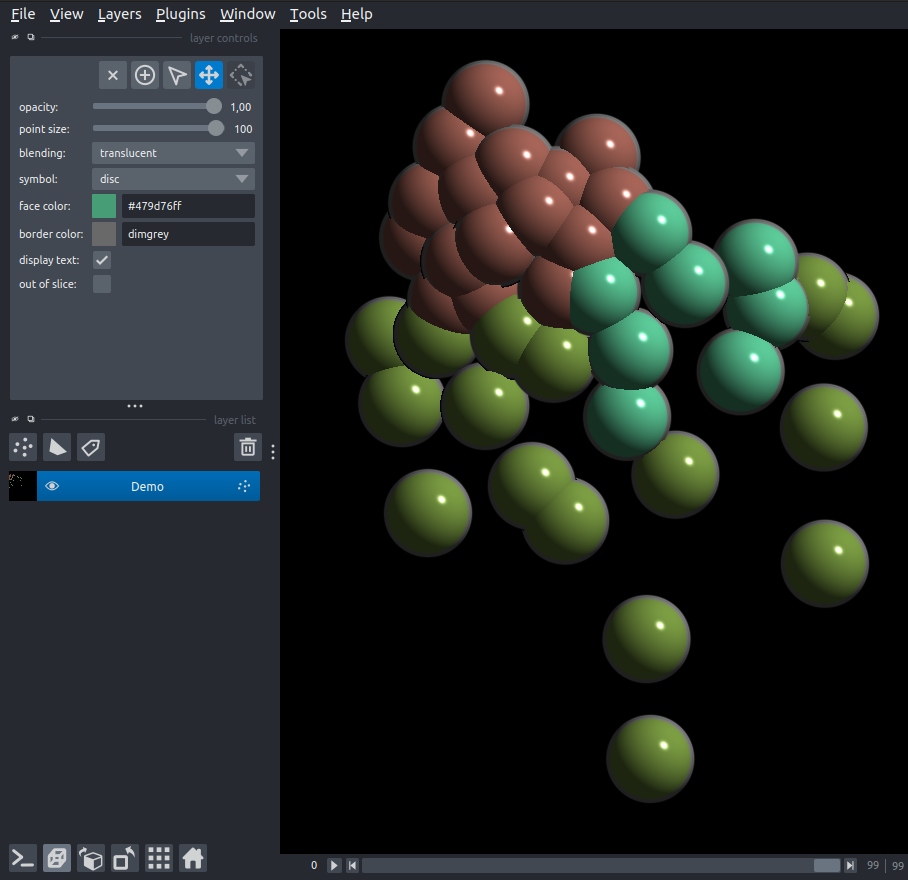
There are also 2 demo datasets easily accessible from File>Open Sample>ReLAX:
- demo lineageTree dataset contains 3 descendants of the Er lineage of Parhyale hawaiensis across the first 100 timepoints of their development. It ships with the plugin.
- C. elegans dataset contains a C. elegans embryo starting from P0, with gene expressions from multiple experiments (from other datasets) imported. It is downloaded from Zenodo (about 42 MB) the first time it is opened, then reused.
Go to Starting page
Go to Tutorials